
WINDOWS 11 26H1
"THE SILICON UPDATE"
The Definitive Guide: "Bromine" Architecture, The End of Legacy x86, and the Rise of AI Explorer.

The "Bromine" Update marks the biggest kernel shift in Windows history since Windows NT.
1. Executive Summary: The "Bromine" Shift
The computing world stands at a precipice. If you thought version 25H2 was the end of the road for Windows 11 feature drops, think again. Microsoft is currently finalizing the code for Windows 11 Version 26H1 (internally codenamed "Bromine"). However, unlike every Windows update that came before it, 26H1 is not intended for every computer on the market. It represents a strategic pivot that may leave millions of older devices behind in terms of AI capabilities.
Scheduled for a targeted release in April 2026, this update represents a historic bifurcation (splitting) of the Windows timeline. It is engineered primarily for the next generation of AI PCs and ARM-based architecture (Snapdragon X2, NVIDIA & AMD's new ARM chips). This isn't just a software patch; it is a rewriting of how the operating system talks to the processor.
At Utility Vaults, we have meticulously analyzed the leaked Insider Preview builds (Build 27xxx series) and developer documentation to bring you this encyclopedia. We will explore how Microsoft is rewriting the Windows Kernel to survive in a mobile-first world, why "DirectSR" will change gaming forever, and what this specifically means for your current Intel or AMD rig in the coming months.
📅 The 2026 Release Roadmap
Unlike previous years where updates rolled out globally, 2026 follows a staggered "Wave" approach.
2. Under the Hood: The Kernel Rewrite
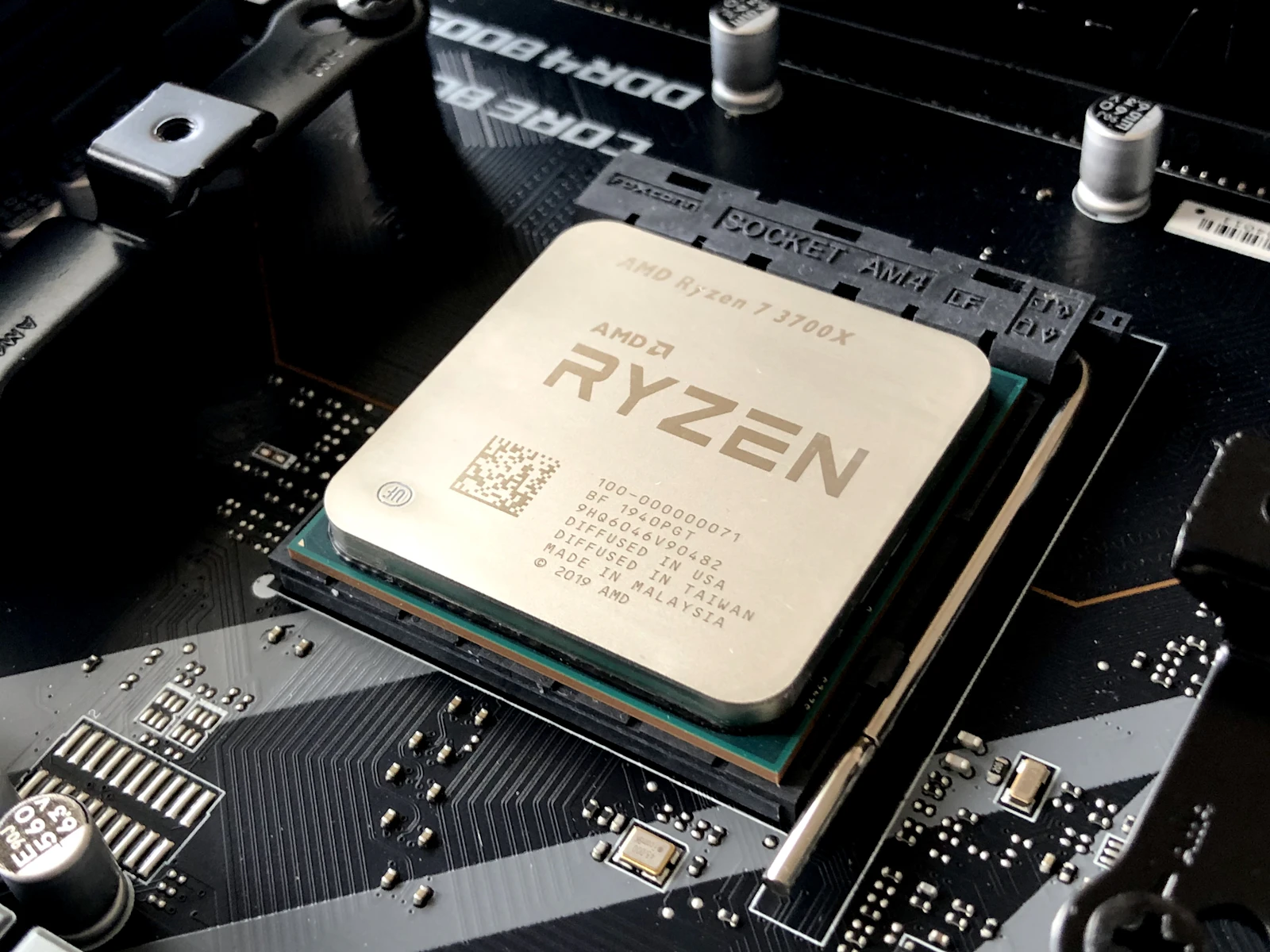
To truly understand the magnitude of 26H1, you must understand the engineering problem Microsoft is facing. For 30 years, Windows has been built primarily for x86 processors (Intel/AMD). These chips are incredibly powerful but historically power-hungry, using a "Complex Instruction Set" (CISC) architecture.
Modern mobile devices, however, run on ARM chips (like the M3/M4 in MacBooks or the Snapdragon in phones). These use a "Reduced Instruction Set" (RISC) and offer double or triple the battery life of traditional laptops. Microsoft knows that to compete with Apple, Windows *must* run natively and efficiently on ARM.
⚠️ The "Germanium" vs "Bromine" Core
Windows 26H1 introduces a specific kernel optimization for NPU Scheduling. In previous versions of Windows, if you wanted to blur your background in a video call or run voice isolation, the main CPU or the heavy GPU did the work. This drains the battery rapidly.
In 26H1, the OS bypasses the CPU entirely for these tasks. It sends the instructions directly to the Neural Processing Unit (NPU). This "Zero-Copy" architecture is what allows the new wave of 2026 laptops to achieve 25+ hours of real-world battery life, something previously thought impossible on Windows.
3. The Flagship Feature: "AI Explorer"
The standout user-facing feature of 26H1 is the AI Explorer (internal code name: Cowriter). While Copilot exists in the cloud, AI Explorer runs locally on your device. This is not just a chatbot; it is a fundamental change to how the operating system indexes and understands files.
🔍 Semantic Search
Traditional search relies on file names. Semantic search relies on meaning. You can now type: "The spreadsheet Bob sent me last week about the Q1 budget," or "That picture where I was wearing the red hat at the beach."
The OS understands the content (pixels in images, text in docs) and context (who sent it, when) of your files locally, without uploading data to the cloud.
⏳ The "Timeline" Bar
A new UI element sits at the top of your screen (hidden by default). Dragging down reveals a scrubbing timeline of everything you did on your PC in the last 7 days.
This allows you to visually scroll back in time to recover a website tab you accidentally closed or a document draft you forgot to save. It uses the "Recall" API but with strict privacy controls (data is encrypted via BitLocker).
4. Gaming Revolution: DirectSR (Super Resolution)
For the gamers reading Utility Vaults, 26H1 is arguably the most important update since DirectX 12 launched. Microsoft is introducing DirectSR (Direct Super Resolution), a feature that aims to end the fragmentation of upscaling technologies.
Currently, games have to support DLSS (Nvidia), FSR (AMD), or XeSS (Intel) individually. Developers have to code for each one. DirectSR unifies this. It is a standardized API built into Windows 26H1 that allows games to tap into whatever upscaler your hardware supports automatically.
| Scenario | Current (25H2) | New (26H1) |
|---|---|---|
| Running Old Games | Runs at native res (usually slow) | Auto SR upscales 720p to 1440p using NPU automatically |
| Windowed Mode | Higher latency, input lag | Optimizations for "Optimized Windowed" match Fullscreen performance |
| HDR Support | Auto HDR (Limited) | AI-driven SDR to HDR tone mapping for older titles |
5. The Visual Overhaul: Floating Taskbar?
Leaks from the 26H1 builds show a distinct change in visual style. Microsoft is moving further away from the "flat" Metro design and towards a "Glass & Depth" aesthetic.
- The Floating Taskbar: In 26H1, the taskbar no longer touches the bottom or sides of the screen. It "floats" slightly above the bezel with rounded corners, similar to macOS or iPadOS. This creates a cleaner, more detached look for the interface.
- Live Wallpapers: Native support for "Cinematic" wallpapers that react to your mouse movement (using the Parallax effect) is finally being added. This removes the need for third-party apps like Wallpaper Engine for basic effects, reducing memory usage.
- Lock Screen Widgets: The lock screen in 26H1 is fully customizable. You can place weather, stock, or calendar widgets anywhere on the screen, similar to iOS 19 or Android 16.
6. Hardware Analysis: The "40 TOPS" Requirement
This is the controversial part. To run the full suite of 26H1 AI features (like Recall and Auto SR), your computer must meet a new hardware standard: 40 TOPS (Trillion Operations Per Second). This specifically refers to NPU performance, not CPU or GPU.
🖥️ Will My PC Run It?
Use this Utility Vaults checklist to see where you stand:
If you have an older PC (built before 2024), you will still get 26H1, but the AI features will be greyed out. Windows will function as a standard "dumb" OS, which, for many of our readers who prefer privacy and performance over AI, might actually be a benefit.
7. Preparing for Upgrade: The Utility Vaults Protocol
When 26H1 drops, it will be a larger download than 25H2 (approx. 4-5 GB) because it replaces the core kernel files. Here is how you should prepare your system now to avoid errors later.
1. Clear the SoftwareDistribution Folder:
Old update files often conflict with major version jumps. Open CMD as Admin and run: net stop wuauserv followed by deleting the folder content in C:\Windows\SoftwareDistribution.
2. Update UEFI Firmware:
The 26H1 kernel interacts deeply with your motherboard's firmware for power management. If your BIOS is outdated, 26H1 may cause "Sleep of Death" (laptop refusing to wake up). Check your manufacturer's site now.
3. Backup BitLocker Keys:
Since 26H1 modifies the Secure Boot bootloader, it may trigger a BitLocker recovery on the first reboot. Ensure you have your recovery keys saved to your Microsoft account or a USB drive before clicking "Install."
Verdict: The End of "Legacy" Windows
Windows 11 26H1 is more than just an update; it is a statement. It declares that the future of computing is Neural, Efficient, and Mobile. While x86 desktops aren't dying, the innovation is clearly shifting toward the ARM ecosystem.
Whether you are excited about the AI features or terrified of the privacy implications, one thing is certain: The "Bromine" update will change how we use our computers forever.
Are you planning to buy a new "AI PC" for 26H1, or are you sticking with your current rig? Tell us in the comments!
© 2026 Utility Vaults. Unmasking the Future of Technology.






0 Comments